
Everything Telvory Live does, in one place
Live stream and restream control for broadcasters and IPTV operators: connect your servers, deliver to every screen, protect your links and grow your audience. Screenshots show the real console with demo data; click any screenshot to enlarge it.
Get every channel to every screen
Connect the servers you already run, schedule broadcasts, switch channels live and keep playback on a healthy server.
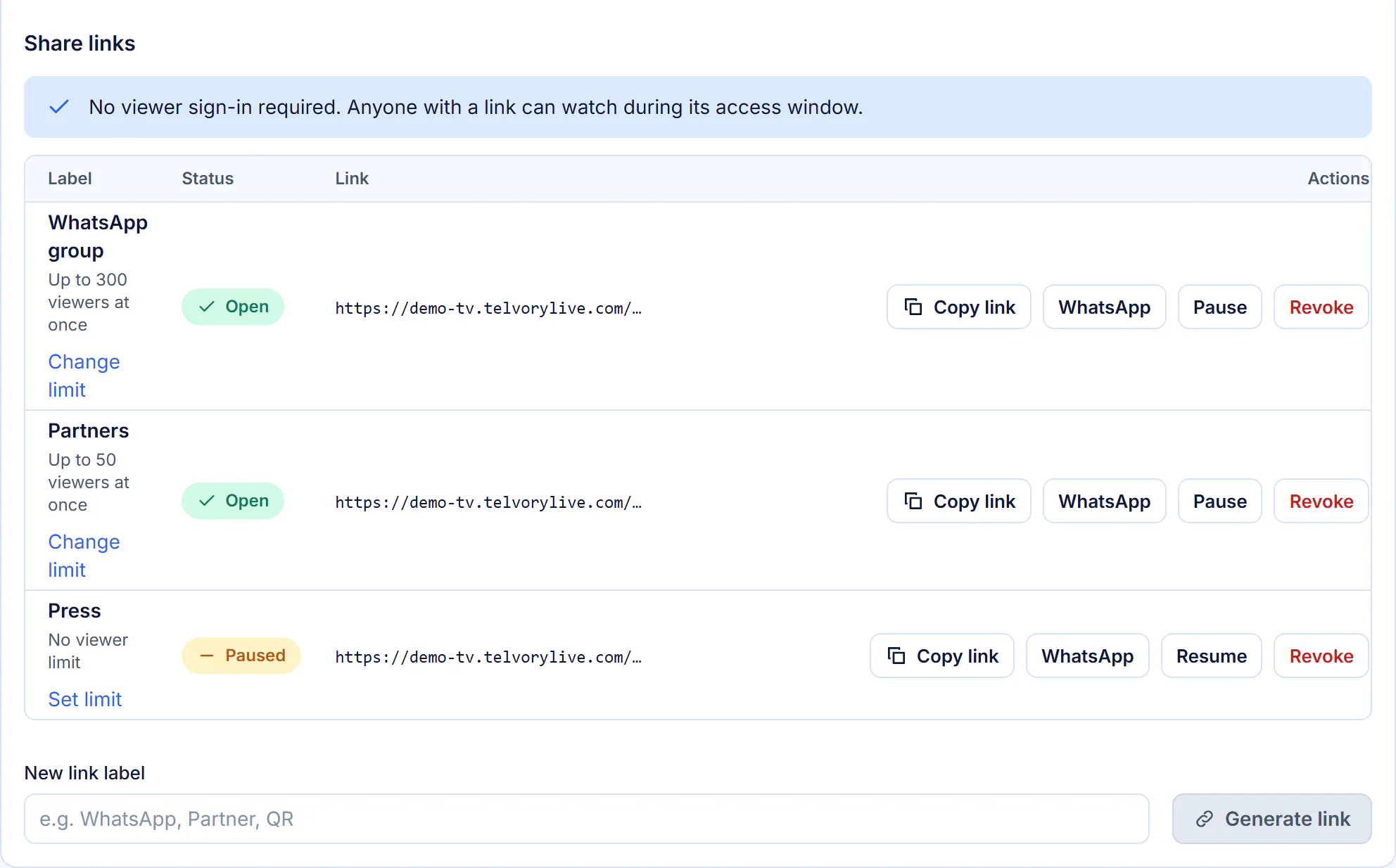
Scheduled broadcasts and share links
Set the opening and closing time in your time zone. Each link has its own viewer limit and can be paused, extended or revoked.
Live Control
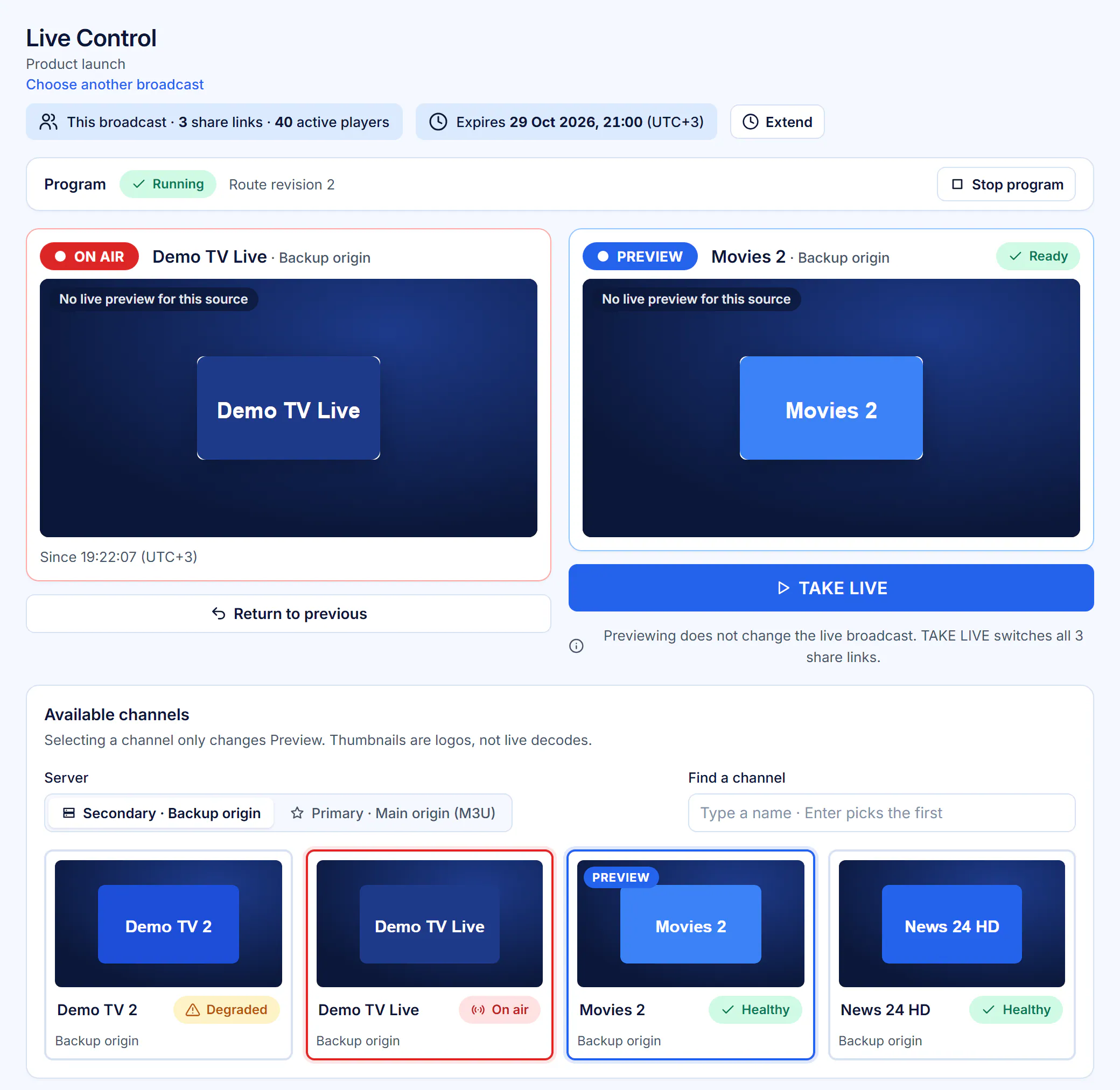
ON AIR and PREVIEW side by side: preview a channel, then take it live during a broadcast without sending a new link.
Connect any streaming server
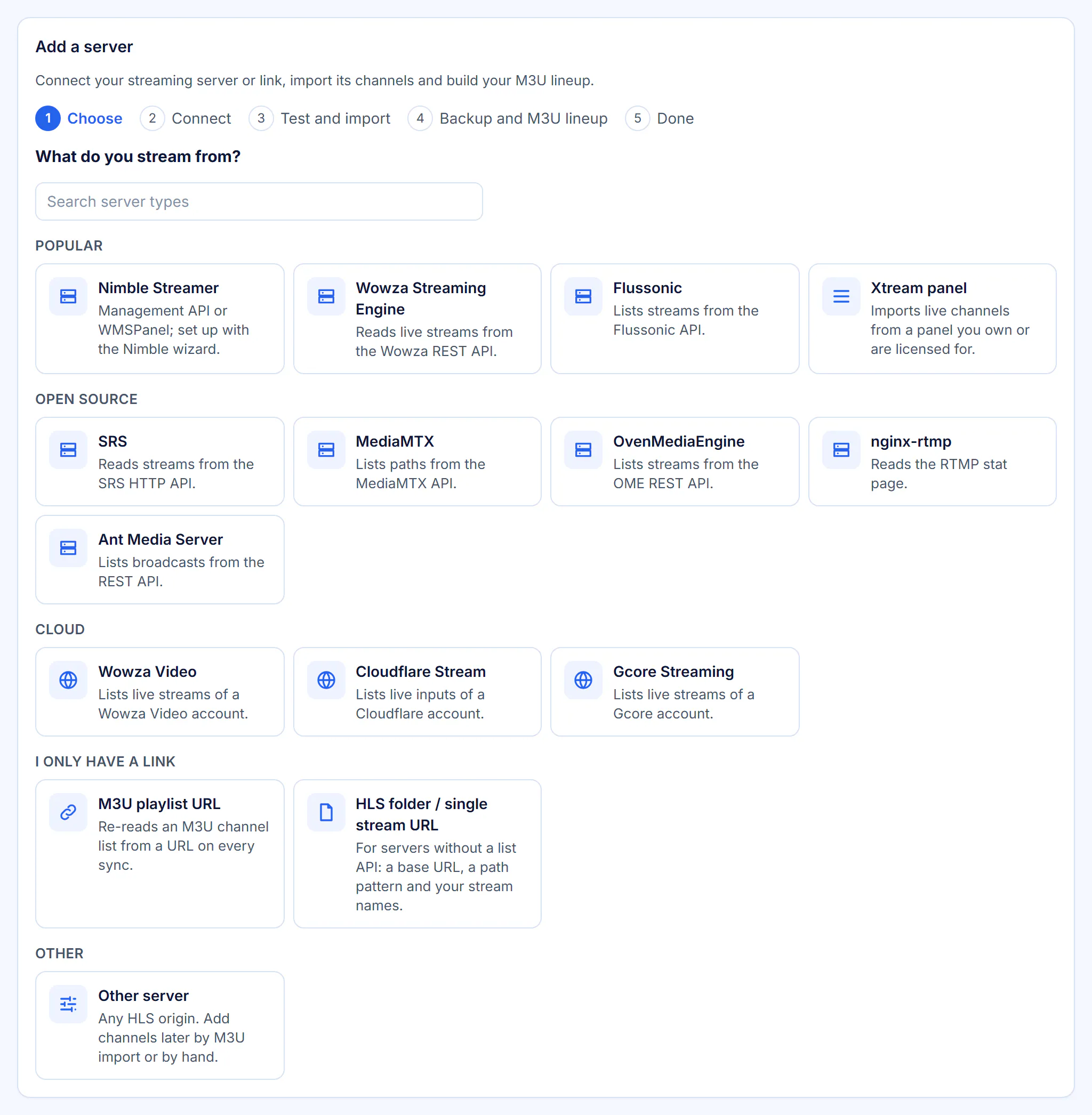
Nimble Streamer in one guided step, plus Wowza, Flussonic, Ant Media, SRS, MediaMTX, OvenMediaEngine, nginx-rtmp, cloud services or just a link. Supported servers
Health checks and failover you can see
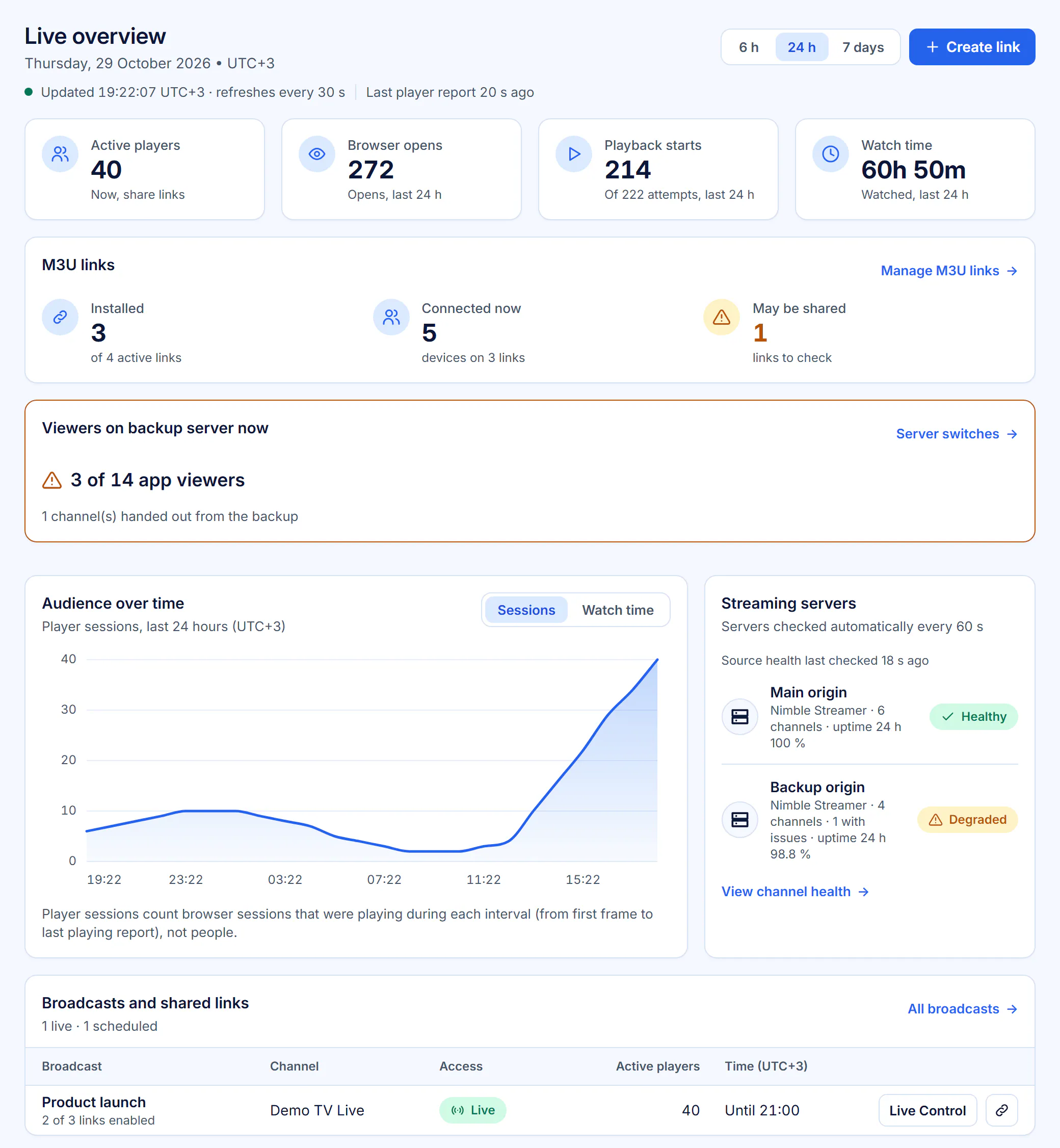
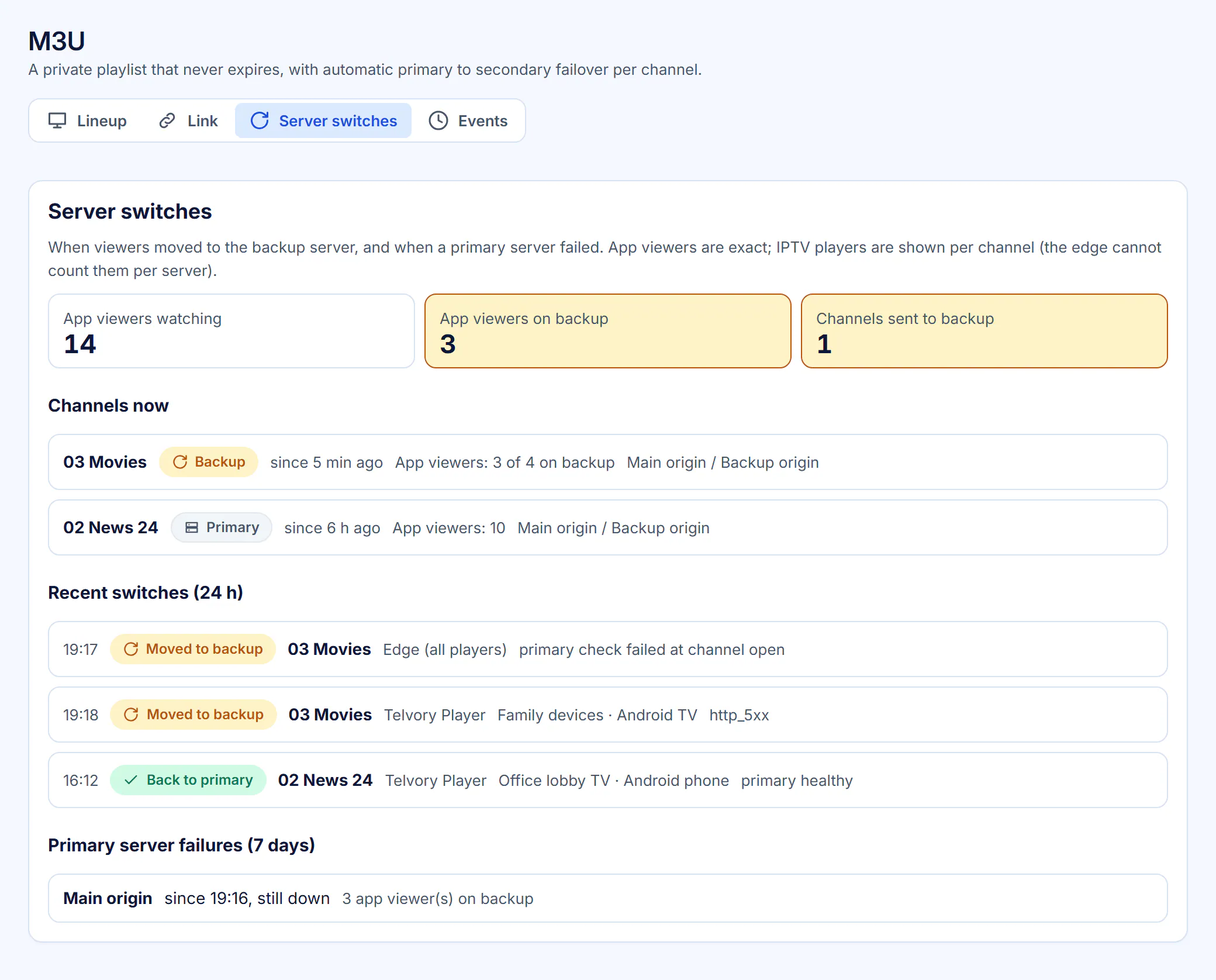
Every server is checked every 60 seconds. The overview shows how many app viewers are on the backup server right now and every automatic switch.
Direct or bring your own restreamer
Deliver straight from your servers, or put your own restream server in front of selected M3U channels (redirect mode: a flat 99 SAR per channel a month).
Telvory RestreamComing soon
Managed restreaming with pass-through, transcoding and multiple bitrates, run by us.
Keep links private and spot misuse early
Private links, limits and alerts that show you when something looks wrong, with the tools to stop it.
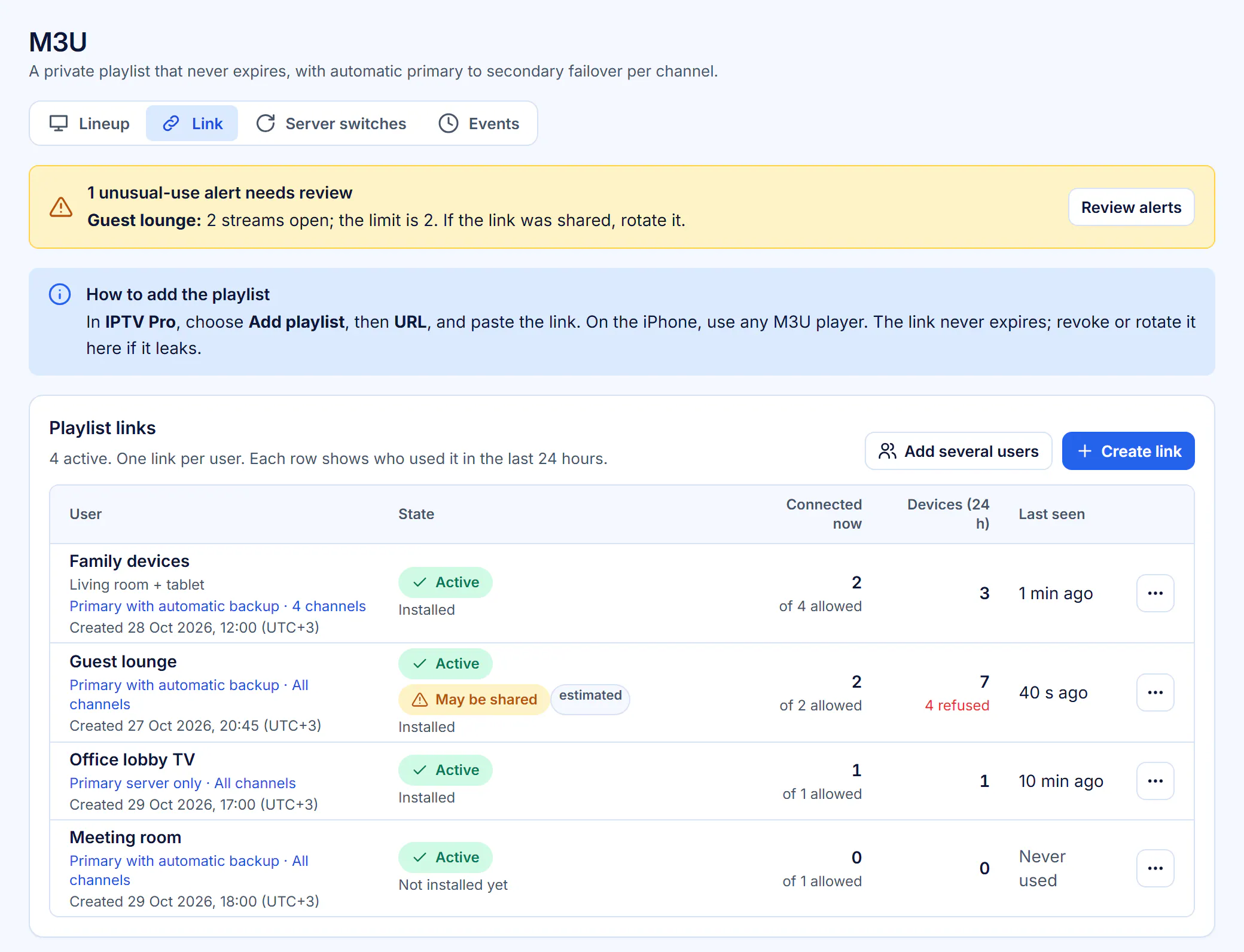
Private M3U link per user
One link per person with its own channel list, a streams-at-once limit and the servers it may use.
Viewer limits
Cap how many people can watch at once per link, per broadcast and for the whole workspace.
Sharing detection and alerts
Links are flagged as shared (exact, from the app) or may be shared (estimated), with an alert to check them.
Revoke and take down
Revoke or replace any link at once, and take a channel down from the lineup. Content complaints follow our published terms.
Servers and secrets kept private
Share-link viewers never see your server addresses, media URLs are signed and short-lived, and server keys are stored encrypted.
Two-step sign-in
Authenticator app codes for staff, which you can make mandatory for the whole workspace.
Reach your audience in your own brand
Branded pages and messages for viewers, a consent-first contact list and player apps in your name.
Branded viewer page
Your logo, poster and colours on the page viewers open. Viewers never see Telvory.
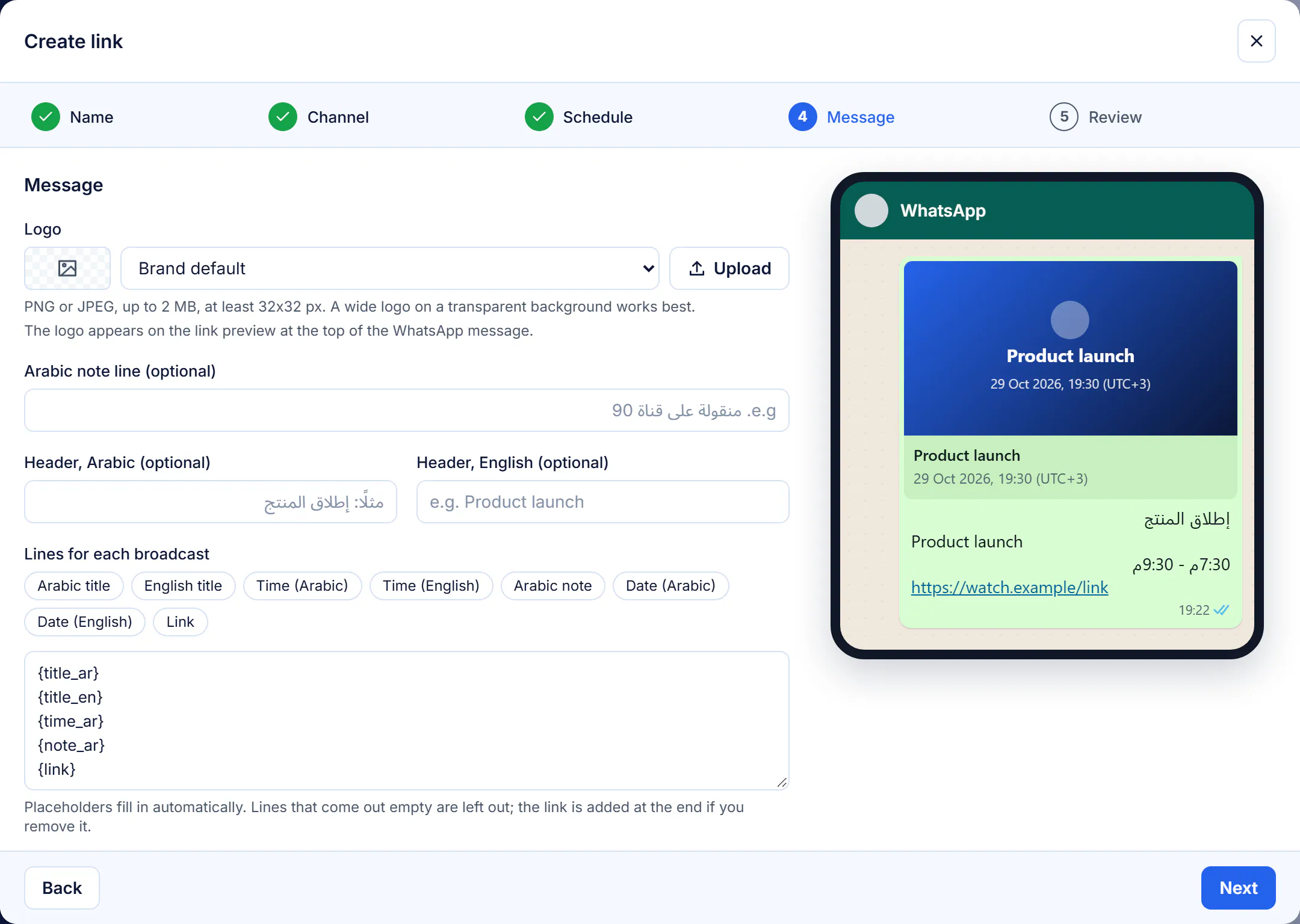
Ready-to-send messages
Every link comes with an Arabic and English message and a preview card, ready to share on WhatsApp in one tap.
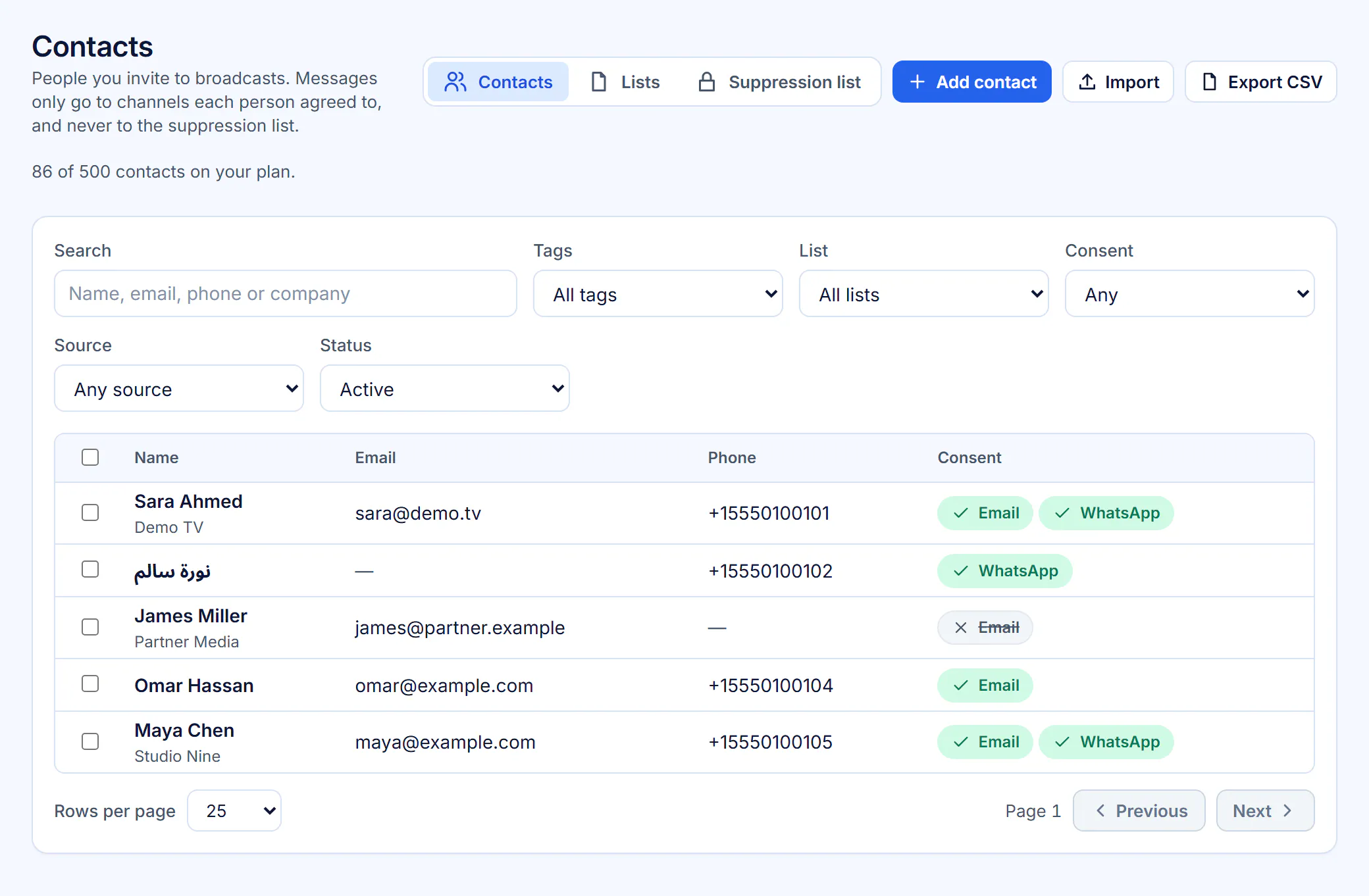
Contacts with consent
Import contacts from CSV or Excel, tag them, ask for consent with double opt-in and invite them to broadcasts by email. Unsubscribe and erase are built in.
Telvory Player and white-label appsComing soon
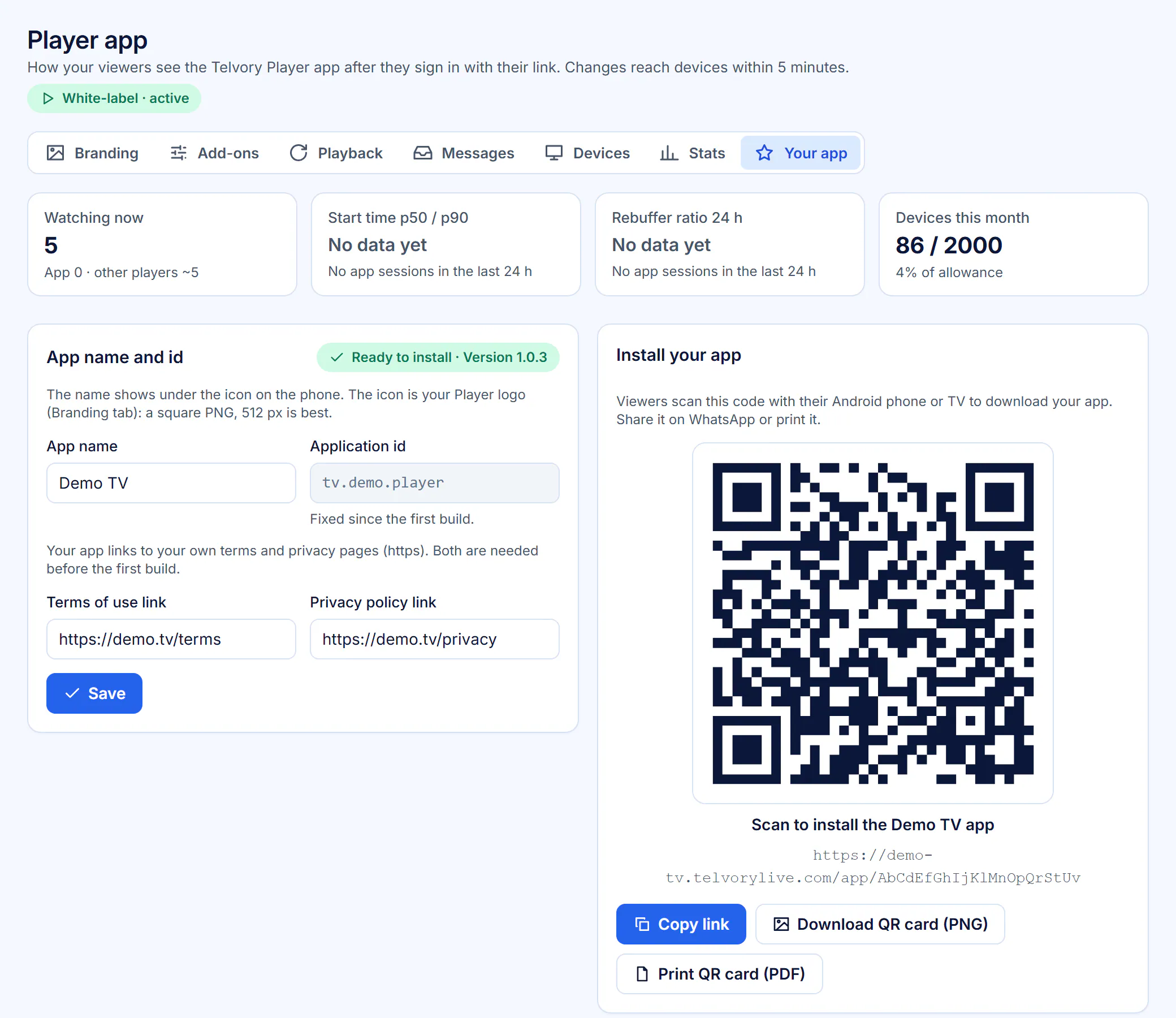
A branded Android app for phones, tablets and TVs with TV pairing and the programme guide; White-label tenants get their own app installed by QR code. About the player
Social posting and direct WhatsApp sendingComing soon
Posting to Facebook, Instagram and Telegram and sending WhatsApp messages from the console.
Know your audience and run your business
Clear numbers for every broadcast and link, reports you can send, and billing that fits how you sell.
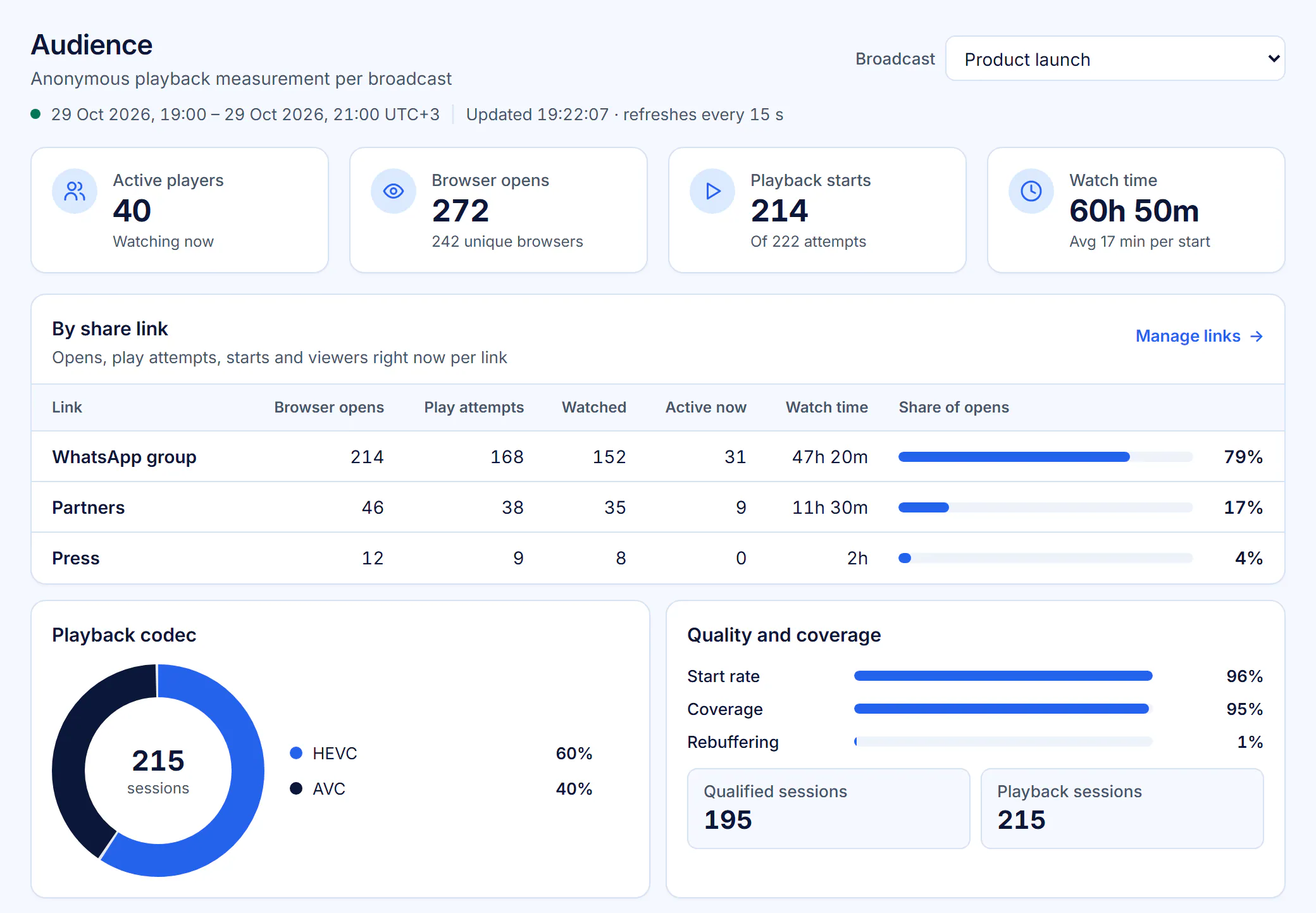
Audience analytics
Active players, browser opens, playback starts and watch time, per broadcast and per link, live and over time.
Reports by email and PDF
A report after every broadcast with charts, in Arabic or English, sent by email and shared through protected links.
Honest device counts
Numbers say what they measure: player sessions are sessions, and in the app one phone counts as one device.
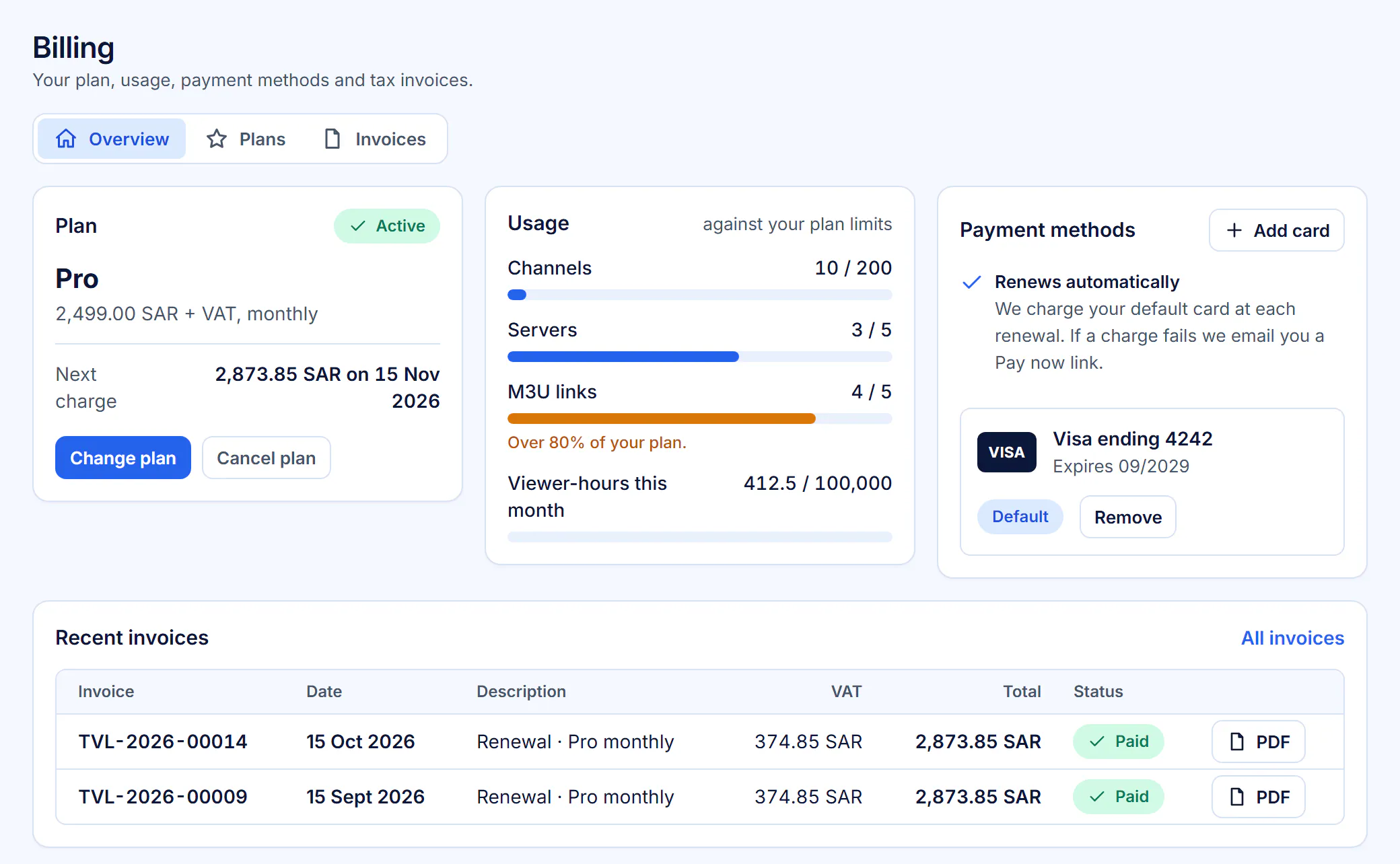
Plans in SAR with a free trial
Starter, Business, Pro and Enterprise, monthly or annual, with a 14-day free trial and VAT added where applicable. Pricing
Run it as a team, in your own space
Roles, sign-in and records for your staff, your own address and both languages everywhere.
Team roles and staff accounts
Invite staff and give each person the role they need, including operator and analyst access to selected broadcasts.
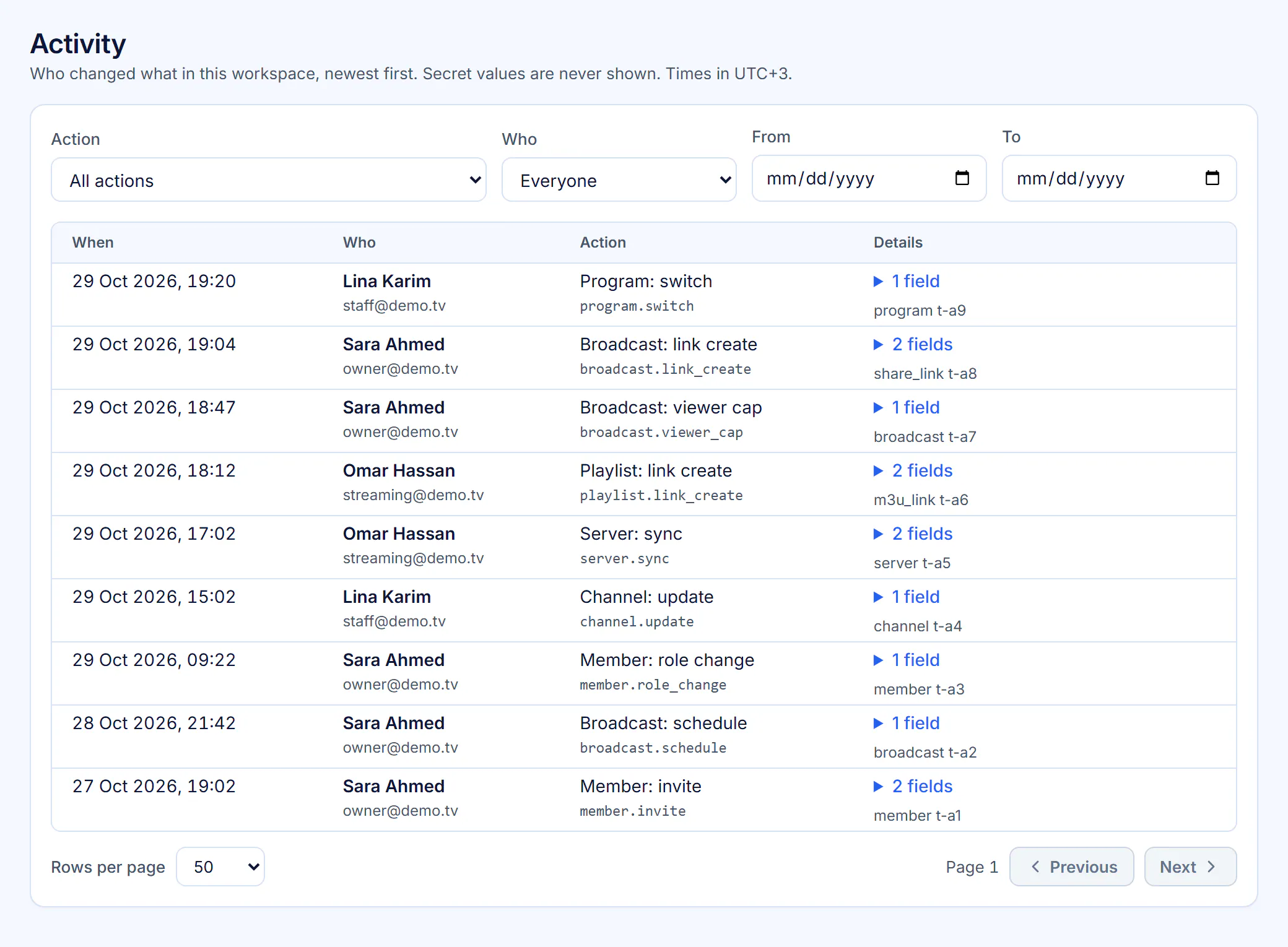
Activity log
Every change is recorded: who did what, and when.
Signed webhooks
Your own systems hear about broadcasts and links as they happen.
Your own address
Your workspace at yourname.telvorylive.com, with Microsoft sign-in or email and password.
Arabic and English everywhere
Console, viewer page, player, messages, emails and reports in both languages, with full right-to-left layout.
See it with your own servers
Start a 14-day free trial, connect a server or paste a link, and run your first broadcast.